Usage Guide
Configure EHRConnect and learn how to set up your environment and connect with partners
Connectivity
Establish and maintain connections with external systems.
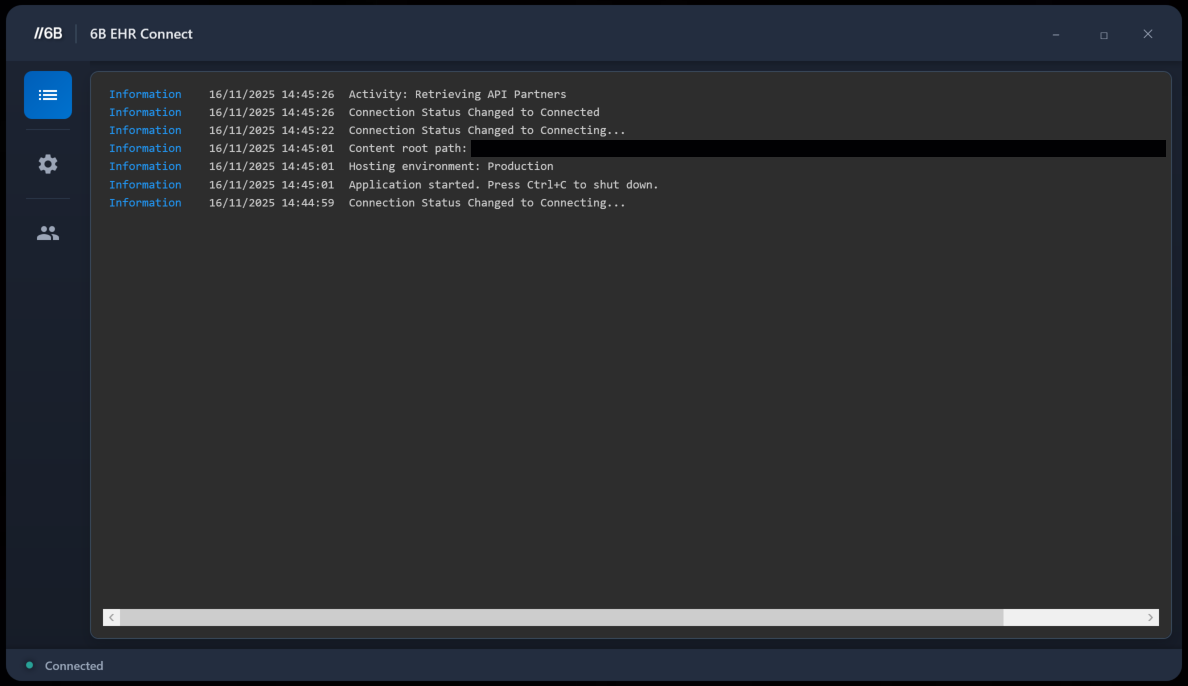
- The image below shows the home page view of EHRConnect once launched. Notice in the bottom left the 'Connected' status indicator as well as the activity logs showing both 'local' EHRConnect activity as well as incoming activity.
The below image shows the view you will see upon initial launching of EHRConnect.
Note
In the event of EHRConnect being unable to connect to the EHR system, the status indicator will reflect the actual connection status as well as error logging being visible in the main content window.
Warning
If you're experiencing connectivity issues with SystmOne please ensure that SystmOne system is running on the same PC as EHRConnect for successful connectivity.
Partners
Manage your partner connections and integrations.
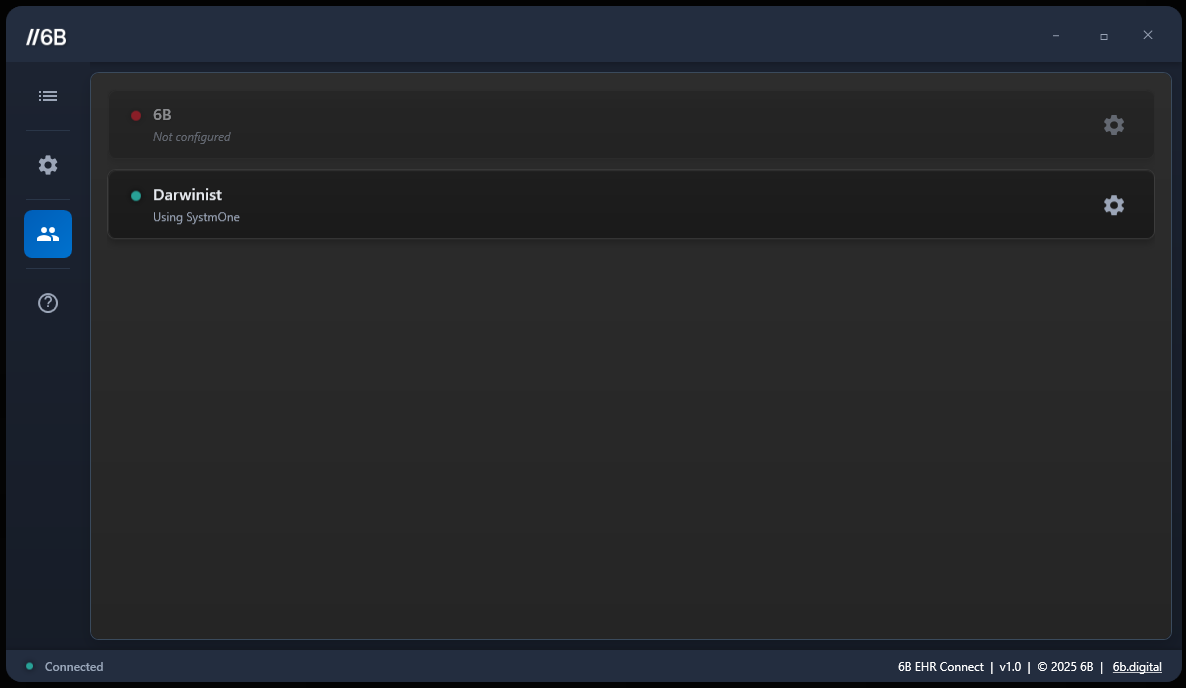
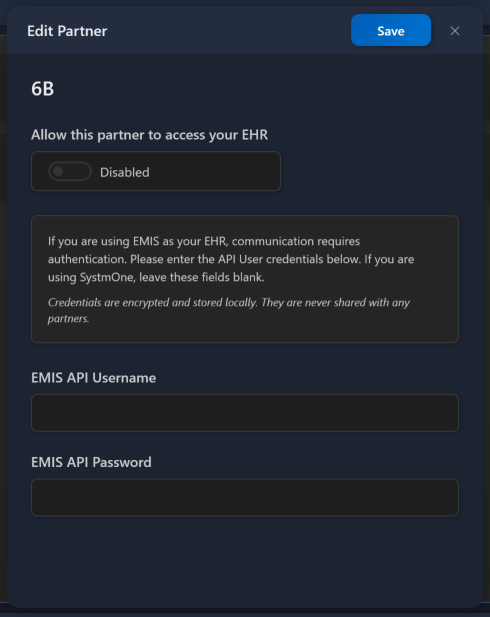
- When you navigate to the 'Partners' section of EHRConnect, you will see a list of all configured partners. Each partner can be individually managed, allowing you to enable or disable connections as needed. You can also configure specific settings for each partner here as well as easily view which partners are currently connected to your EHR.
The below image shows the partner page within EHRConnect, it is here you can control partner access.
Below is the per partner settings page, it is here that you can configure partner specific settings.
Settings
Configure EHRConnect to meet your specific requirements.
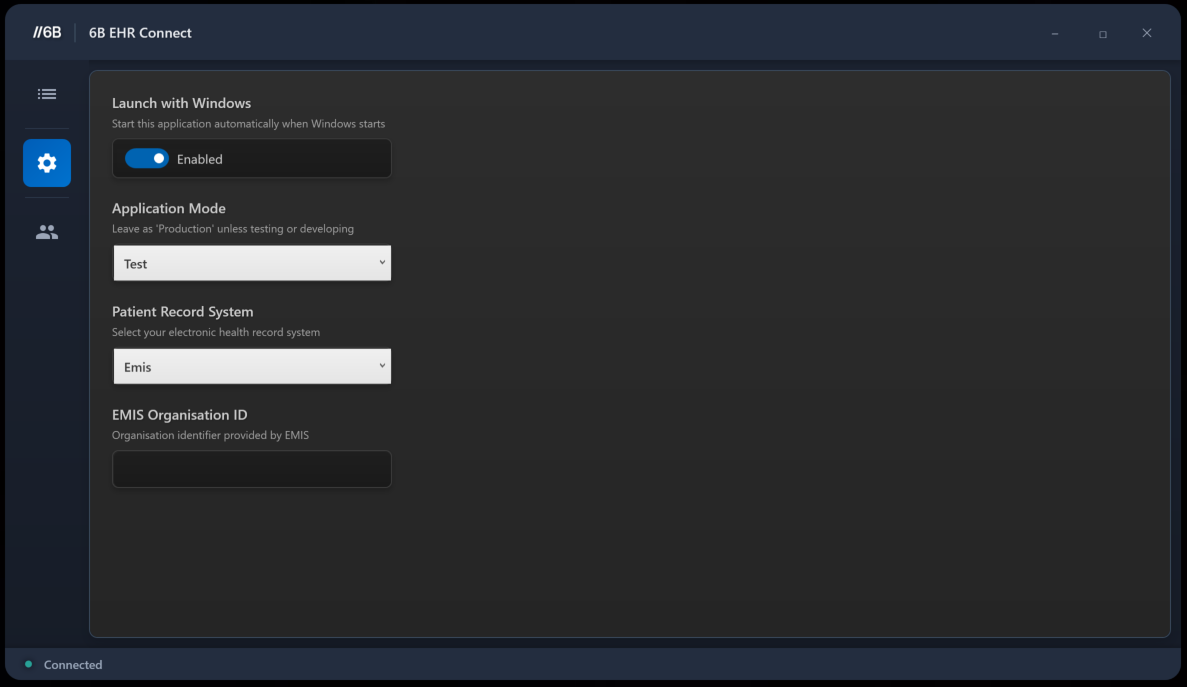
- The settings page is where you can configure your specific application behaviour. This is where you select both your EHR system & application mode, if you're using EMIS ensure that you have the correct API credentials entered here as well.
Below you can see the EHRConnect settings page, these settings are for your application rather than partners.
Warning
If you're having issues with connectivity check that you're set to the correct mode & EHR before reaching out to 6B support.
Tip
Experienced An Issue During EHRConnect Usage?
Before contacting support, please check our Common Issues section for quick solutions.
If you need further assistance with EHRConnect:
Contact Support
For all support enquiries, please contact 6B Digital:
Email: [Contact details to be added]
Website: [Website URL to be added]
Phone: [Phone number to be added]
Last updated: [DateTime]